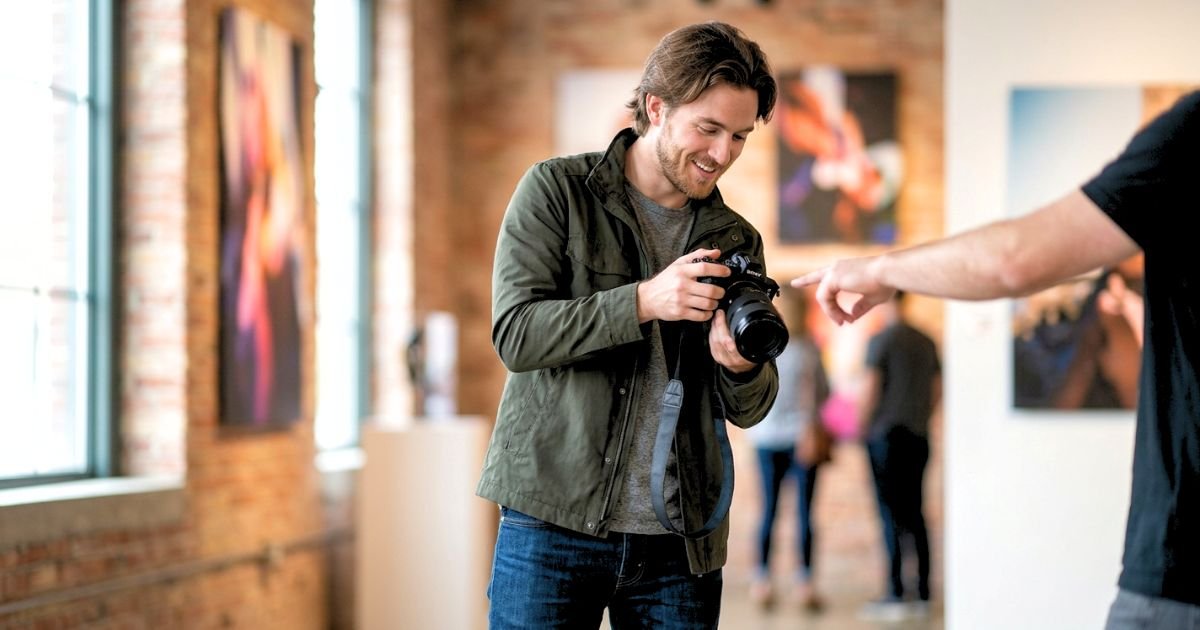
Your team’s headshots are often one of the first things prospective clients, business partners, and job candidates notice when they visit your website or LinkedIn page. While a single great portrait can leave a positive impression, a collection of inconsistent headshots can make even the most successful company appear disorganised.
Consistent team headshots create a polished, professional headshot look that reflects your company’s values, strengthens brand identity, and builds trust with potential customers. Whether your organisation has 10 employees or 500, maintaining a unified style across every portrait helps communicate professionalism and attention to detail.
Achieving consistency isn’t just about using the same camera. It involves careful planning, standardised lighting, coordinated wardrobe choices, matching backgrounds, and a photographer who understands corporate branding.
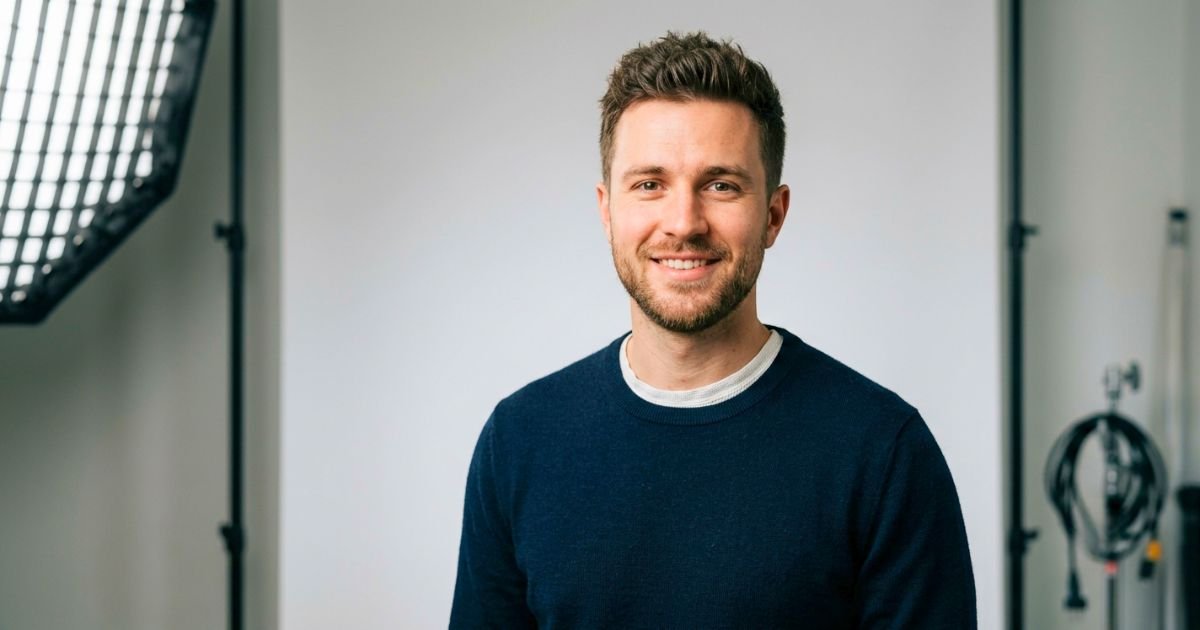
In this guide, you’ll learn how to get consistent team headshots, avoid common mistakes, and create professional portraits that represent your company with confidence.
Why Consistent Team Headshots Matter
People naturally trust businesses that appear organised and professional. When every employee photo follows the same visual style, your brand feels more credible and established.
Imagine visiting two company websites:
- One features headshots taken with different phones, inconsistent backgrounds, and varying image quality.
- The other showcases professionally lit portraits with matching backgrounds, consistent framing, and coordinated attire.
Most visitors will instinctively trust the second company. Professional consistency sends a message that your business pays attention to quality in every detail.
Benefits of Consistent Team Headshots
- Strengthen your brand identity.
- Create a polished company image.
- Build customer trust.
- Improve your website’s visual appeal.
- Present employees as a unified team.
- Increase professionalism across marketing materials.
- Enhance LinkedIn and company profile pages.
- Support recruitment and employer branding.
- Ensure a consistent experience across digital platforms.
What Makes Team Headshots Consistent?
Consistency is more than asking everyone to smile. Professional photographers focus on multiple elements to ensure every employee portrait feels like part of the same collection.
The following components should remain consistent throughout the session:
- Background
- Lighting
- Camera settings
- Cropping
- Pose style
- Editing
- Wardrobe guidelines
- Image dimensions
When all these elements work together, the final gallery feels cohesive regardless of who appears in the photograph.
Choose One Photography Style
The first decision is selecting the overall style of your team portraits. Every employee should follow the same visual direction.
Traditional Studio Headshots
Studio portraits offer a clean, timeless appearance.
They’re ideal for:
- Law firms
- Financial companies
- Healthcare organizations
- Government offices
- Accounting firms
- Corporate businesses
Benefits include:
- Controlled lighting
- Neutral backgrounds
- Professional appearance
- Easy consistency
Environmental Office Headshots
Instead of using a plain backdrop, employees are photographed inside the workplace.
These portraits work well for:
- Marketing agencies
- Technology companies
- Startups
- Architects
- Design firms
The office becomes part of the company’s story while still maintaining consistency.
Lifestyle Branding Portraits
Lifestyle headshots show employees interacting naturally within their work environment.
Examples include:
- Working at a desk
- Meeting with clients
- Collaborating with coworkers
- Walking through the office
- Using professional equipment
This style feels modern while still supporting a cohesive company image.

Standardise the Background
One of the easiest ways to maintain consistency is by using the same background for every employee. Changing backgrounds between individuals creates a disconnected look.
Popular background choices include:
White Background
Best for:
- Healthcare
- Technology
- Modern corporate brands
Creates:
- Bright appearance
- Clean design
- Easy website integration
Gray Background
The most popular option for professional headshots. Suitable for nearly every industry.
Benefits:
- Timeless
- Professional
- Minimal distractions
- Excellent skin tone balance
Office Background
If using your office, photograph everyone in the same location.
Keep:
- Similar camera angle
- Same lighting
- Consistent distance
- Matching depth of field
This creates harmony while showcasing your workplace.
Maintain Consistent Lighting
Lighting has a greater impact on consistency than almost any other factor. Professional photographers typically use the same lighting setup for every employee.
Avoid:
- Mixing window light with flash
- Changing lighting throughout the day
- Different exposure levels
- Uneven shadows
A controlled lighting setup ensures each portrait matches the others regardless of the time of day.
Create a Company Dress Code
Your employees don’t need identical outfits, but they should follow a coordinated dress code. This creates visual harmony without making everyone look the same.
Business Professional
Recommended for:
- Attorneys
- Financial advisors
- Executives
- Insurance agencies
Suggested clothing:
- Navy suits
- Charcoal blazers
- White shirts
- Neutral dresses
Business Casual
Ideal for:
- Marketing agencies
- Consultants
- Software companies
- Startups
Suggested clothing:
- Blazers
- Button-down shirts
- Polo shirts
- Simple blouses
Creative Industries
Creative professionals have more flexibility while maintaining a polished appearance.
Examples include:
- Designers
- Photographers
- Boutique owners
- Architects
Solid colors remain the safest choice for photography.

Best Colors for Team Headshots
Choosing a consistent color palette helps create a polished, unified look.
| Color | Professional Appearance | Versatility | Recommended for Team Headshots |
| Navy Blue | Excellent | Excellent | Highly Recommended |
| Charcoal Gray | Excellent | Excellent | Highly Recommended |
| Soft Blue | Excellent | Excellent | Highly Recommended |
| White | Very Good | Excellent | Recommended |
| Emerald Green | Very Good | Very Good | Recommended |
| Burgundy | Very Good | Very Good | Recommended |
| Black | Good | Very Good | Use Sparingly |
| Bright Red | Fair | Limited | Not Recommended |
| Neon Colors | Poor | Poor | Avoid |
| Busy Patterns | Poor | Poor | Avoid |
Standardize Posing
A consistent posing style makes team portraits look cohesive without appearing repetitive.
Encourage employees to:
- Stand or sit with a relaxed posture.
- Turn slightly toward the camera.
- Keep shoulders relaxed.
- Maintain a natural smile.
- Follow the photographer’s guidance.
Small variations in expression are welcome, but the overall composition should remain similar.
Company Headshot Consistency Checklist
Use this checklist before your photography session.
| Task | Status |
| Choose one photography style | Complete |
| Select a consistent background | Complete |
| Standardise lighting for all employees | Complete |
| Create a company dress code | Complete |
| Share wardrobe guidelines with the team | Complete |
| Schedule employee appointments | Complete |
| Confirm grooming recommendations | Complete |
| Prepare the photography location | Complete |
| Use consistent image cropping | Complete |
| Apply the same editing style to every photo | Complete |
Compare Popular Team Headshot Styles
| Headshot Style | Best For | Professional Appearance | Brand Consistency |
| Studio Headshots | Corporate companies | Excellent | Excellent |
| Environmental Office Portraits | Modern businesses | Excellent | Very Good |
| Lifestyle Branding Headshots | Creative companies | Very Good | Very Good |
| Outdoor Corporate Portraits | Small businesses | Good | Good |
| Executive Portraits | Leadership teams | Excellent | Excellent |
Pro Photographer Tips
Tip 1: Photograph Everyone Within a Short Timeframe
- Schedule the entire team within the same week—or even the same day if possible. This helps maintain consistent lighting, equipment, editing, and branding.
Tip 2: Use the Same Photographer
- Hiring different photographers over time often leads to noticeable differences in style. Working with one experienced photographer ensures consistency across your entire team.
Tip 3: Create a Headshot Style Guide
- Document your preferred background, wardrobe colors, lighting setup, cropping, and editing style. This guide makes it easier to photograph new employees while maintaining a cohesive look.
Tip 4: Plan for Future Growth
- As your company grows, schedule regular headshot sessions for new hires that adhere to the same visual standards. This keeps your team gallery looking unified over time.
Prepare Employees Before Headshot Day
Even with the best photographer and equipment, inconsistent preparation can affect the final results. Helping employees understand what to expect ensures everyone arrives confident, prepared, and ready for a smooth session.
Send a Headshot Preparation Guide
Share a simple guide with employees one to two weeks before the session.
Include:
- Session date and location
- Arrival time
- Recommended dress code
- Grooming tips
- What to bring
- Estimated session length
- Company branding expectations
Providing clear instructions minimises confusion and helps everyone look their best.
Schedule Individual Time Slots
- Avoid asking everyone to arrive at once.
- Instead, assign each employee a dedicated time slot.
Benefits of Scheduled Appointments
- Reduces waiting time
- Keeps the session organised
- Minimises workplace interruptions
- Allows employees to relax
- Creates a smoother workflow for the photographer
For larger organisations, photograph one department at a time.
Maintain Consistent Image Editing
Editing plays a significant role in creating a cohesive gallery.
Every image should receive the same editing style, including:
- Color correction
- White balance
- Brightness
- Contrast
- Skin tone adjustments
- Cropping
- Background consistency
Avoid applying heavy filters or dramatically different edits to individual portraits.

Create a Company Headshot Style Guide
One of the best ways to maintain consistency over the years is to develop a simple style guide for future sessions.
Include Guidelines Such As:
| Category | Company Standard |
| Photography Style | Studio headshots |
| Background | Medium gray backdrop |
| Lighting | Soft professional studio lighting |
| Orientation | Vertical portrait |
| Crop | Head and shoulders |
| Expression | Natural smile |
| Dress Code | Business professional |
| Image Size | High-resolution digital files |
| Editing Style | Natural, clean, and consistent |
A documented style guide ensures new hires match the look of existing team members.
How to Photograph New Employees Consistently
As your company grows, new employees should seamlessly fit into your existing team gallery.
Best Practices
- Use the same photographer whenever possible.
- Match the original lighting setup.
- Use the same backdrop.
- Follow the established dress code.
- Apply identical editing standards.
- Maintain the same crop and framing.
This approach keeps your company website looking cohesive, even as your team expands.
Common Mistakes That Lead to Inconsistent Team Headshots
Avoid these common issues to maintain a polished and professional appearance.
Using Different Photographers
Every photographer has a unique style. Switching photographers frequently can lead to noticeable differences in lighting, posing, and editing.
Solution: Build a long-term relationship with a trusted corporate headshot photographer.
Ignoring Company Branding
A professional headshot should reflect your company’s identity.
For example:
- A law firm may prefer formal executive portraits.
- A creative agency may choose relaxed lifestyle branding images.
Your photography style should align with your brand values.
Inconsistent Wardrobe
When employees wear vastly different styles, the team no longer looks unified.
Examples to avoid:
- Graphic T-shirts
- Bright neon colors
- Large logos
- Busy patterns
- Wrinkled clothing
Solution: Provide wardrobe recommendations before photo day.
Different Cropping Styles
Some portraits should not be tightly cropped, while others show half the body.
Maintain consistency by using:
- Similar framing
- Matching orientation
- Equal head size
- Uniform spacing
Skipping Regular Updates
- Employees change roles, appearances, and hairstyles over time.
- Refreshing company headshots every few years keeps your brand current and professional.
Team Headshot Consistency Checklist
Review this checklist before your session begins.
| Task | Status |
| Select one photography style | Complete |
| Use the same background for every employee | Complete |
| Maintain consistent studio lighting | Complete |
| Share a company dress code | Complete |
| Recommend solid, professional colors | Complete |
| Schedule individual appointment times | Complete |
| Use identical image cropping | Complete |
| Apply consistent editing to every photo | Complete |
| Create a headshot style guide | Complete |
| Plan future sessions for new hires | Complete |
Studio vs. Office Headshots Comparison
| Feature | Studio Headshots | Office Headshots |
| Professional Appearance | Excellent | Very Good |
| Lighting Control | Excellent | Good |
| Brand Consistency | Excellent | Very Good |
| Background Control | Excellent | Good |
| Setup Flexibility | Excellent | Good |
| Best For | Corporate teams, law firms, healthcare, finance | Startups, agencies, creative businesses |

Frequently Asked Questions: How to Get Consistent Team Headshots?
1. Why are consistent team headshots important?
- Consistent headshots strengthen your brand identity, improve professionalism, and create a trustworthy first impression.
2. How often should companies update team headshots?
- Most organisations should refresh employee headshots every 2–3 years, or sooner if there are major branding or appearance changes.
3. Should every employee wear the same color?
- No. Instead, choose a coordinated color palette with complementary, solid colors to create a unified appearance.
4. What is the best background for team headshots?
- Neutral grey and white studio backgrounds are the most versatile and professional for most industries.
5. Can employees wear company-branded clothing?
- Yes, if it aligns with your brand and the logos are subtle and professionally presented.
6. How long should a team headshot session take?
- Plan approximately 5–10 minutes per employee, depending on outfit changes and the number of poses.
7. What if employees work remotely?
- Use a standardised process by scheduling sessions with the same photographer whenever possible, or by providing detailed brand guidelines to photographers in different locations.
8. Should companies use studio or office backgrounds?
- Studio backgrounds offer the greatest consistency, while office backgrounds work well when the workspace aligns with your brand identity.
9. What should new employees do after joining the company?
- Schedule their headshot as part of the onboarding process using the same style guide as the rest of the team.
10. How do we choose the right headshot photographer?
- Look for a photographer with experience in corporate branding, consistent editing, and photographing teams of all sizes.
Conclusion
Consistent team headshots are an investment in your company’s reputation. They help customers recognise your brand, create a professional online presence, and reinforce trust across every touchpoint—from your website and LinkedIn profiles to marketing campaigns and internal communications.
The key to achieving consistency is planning. By establishing clear wardrobe guidelines, using consistent lighting and backgrounds, following a company style guide, and partnering with an experienced corporate headshot photographer, your business can create a unified image that reflects professionalism and attention to detail.
Whether you’re updating an existing team or photographing new employees, consistency should always be a priority. A well-organised headshot program not only improves your brand today but also ensures every future team member becomes a seamless part of your company’s visual identity.